Mar 15 2024

Keep on working for you
This week we're back at it with many more exciting updates.
We've had some great feedback from a lot of you last week, and we just couldn't wait around to act on it!
This week's updates were brought to you by:
- Christoph from Flowers
- Alice from Crono
- Jay from Salable by Adaptivist
- Ankur from Braintrust Data
- Snigdho from Sentisum
- Mehdi from IterationX
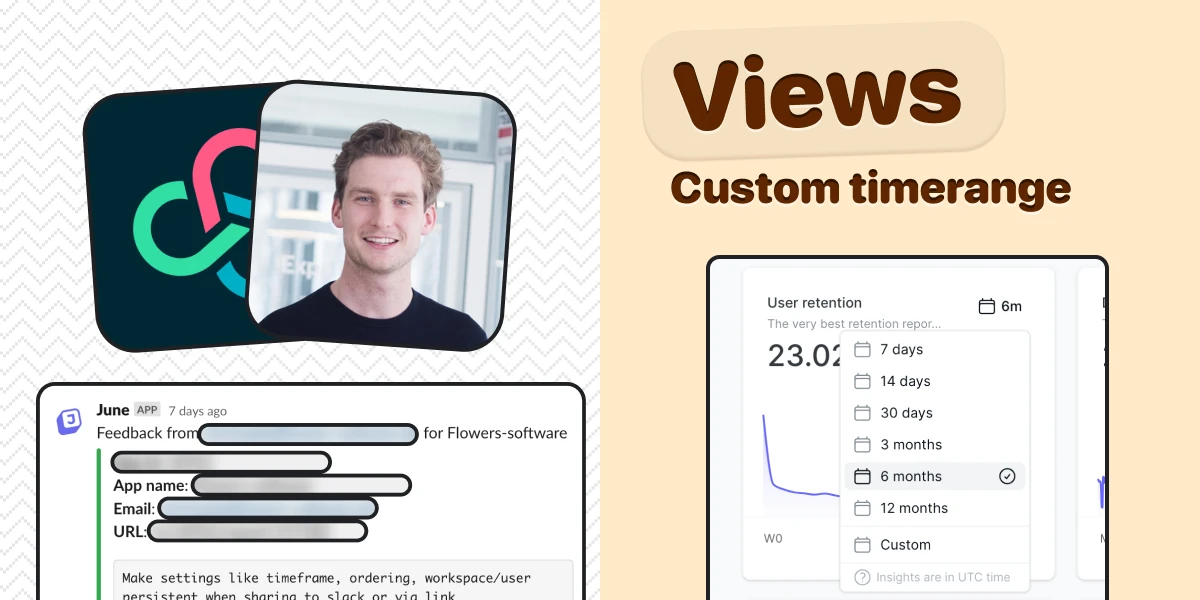
Persist and change the timerange on views
Last week we redesigned the time picker component, this week you can use this same time-range on any report card, both on company pages and in the views.
Your selection will be saved, and that timerange will be persisted even when clicking into a report.
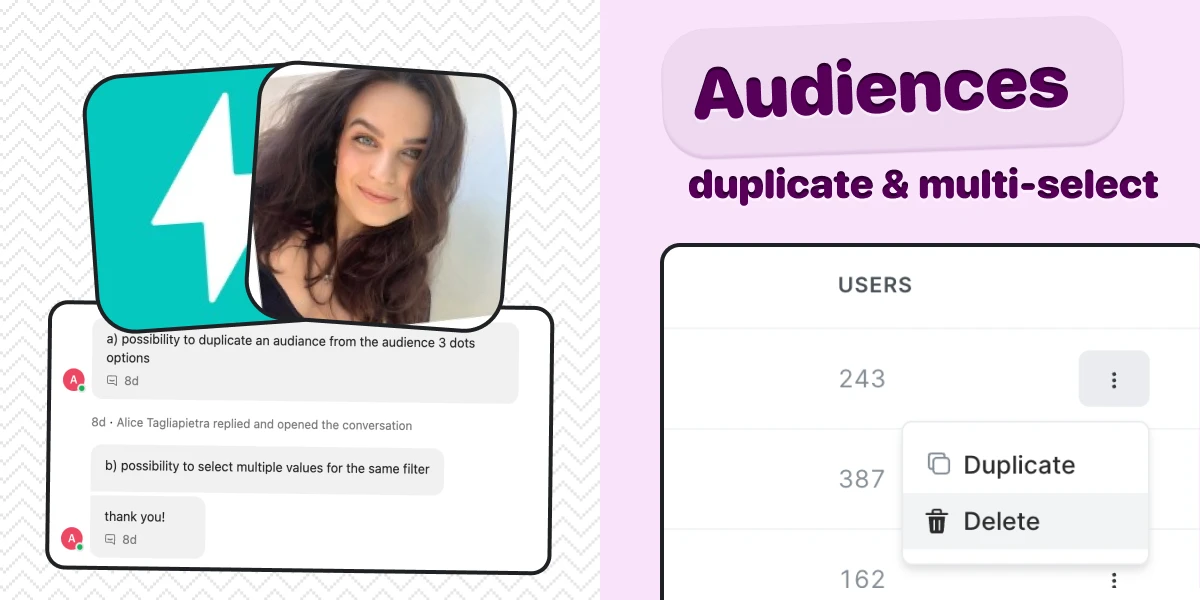
Add multiple values in audience filters, and duplicate audiences
This week we finished our redesign of audience filters across the whole product, and now allow you to filter multiple values from the same filter.
Additionally we've now made it super easy to duplicate your audiences, so if you have some complex combinations of filters, you can create multiple variations quickly.
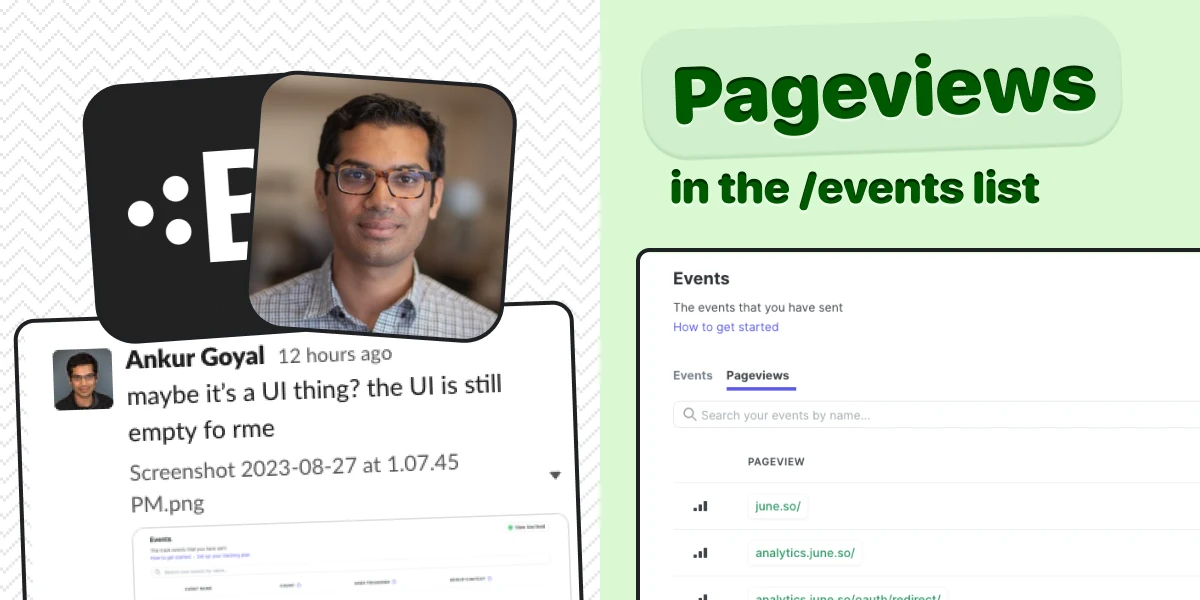
Be able to see pageview data in the events list
This has been requested for a very long time. A year ago we used to have a pageviews list, but we deprecated that as it wasn't consistent with the rest of the product.
This week we've added the pageviews list back in the Events section.
There's a lot more we need to do to make the experience of using pageviews as good as the one with events, but we're making progress.

Support for custom objects and timestamp fields in Attio
We now both support updating objects that aren't the default workspaces and support timestamp fields in our CRM syncs.
The next thing we'd love to improve is showing human readable error messages in the UI, to help customers fix any issues with their setup asd quickly as possible,

Self-serve data exports of all data
Data exports until now have been a manual and slow process. Because of the high number of requests we get through support channels, some customers had to wait up to 10 days to get a .csv with their own data.
We found this unacceptable, so we built automations to make this process faster and self-serve.
While doing this work we took the opportunity to redesign the General settings. The new design is more in harmony with the rest of our settings.
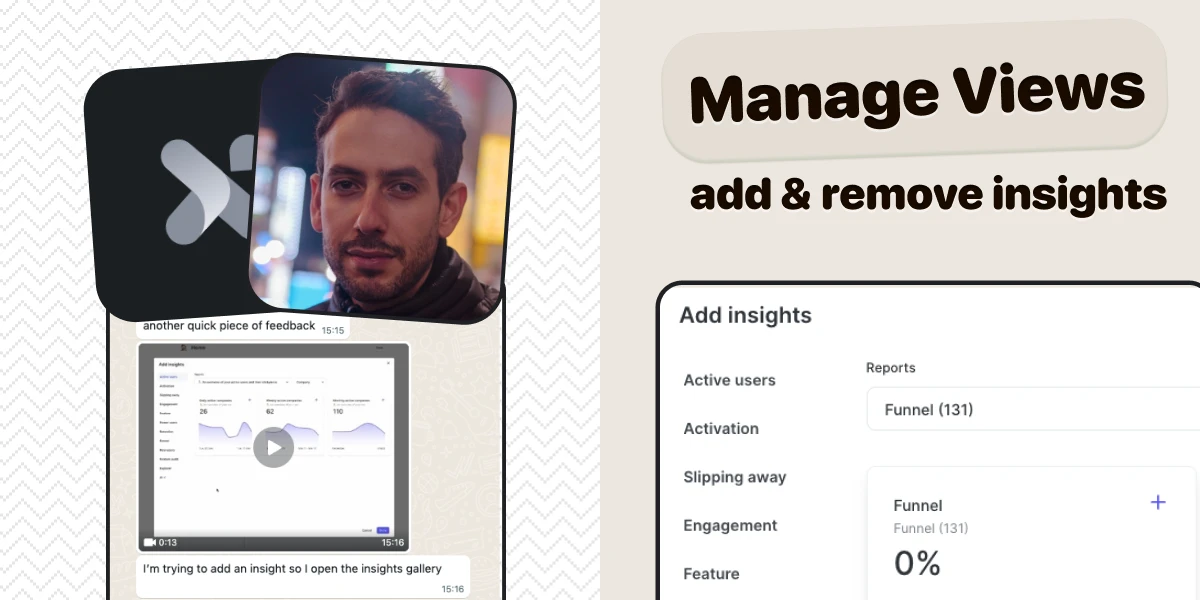
Add and remove insights from the adding view modal
One of the most frustrating moments in onboarding calls we've been experiencing for quite some time was adding and removing insights into views.
A lot of users found it confusing that only the plus icon in the top right of each card allowed you to add insights to views.
We've now made the whole card clickable, and allow removing cards from views, by clicking on a card that's already been added.
Other improvements
- Persist the slipping away timerange on the report itself
- Support searching for quick navigation items in the CMD-K menu
- Improve the "too noisy" threshold logic for instant Slack notifications
- Make the funnel view card a vertical view
- Redesign the retention toggle between count and percentage
- Fix broken link to companies in the retention cohorts drilldown
- Fix error in our Ruby docs
Alberto Incisa della Rocchetta
Product & Growth
Ferruccio Balestreri
Engineer
Daniel Beere
Designer
Adis Banda
Engineer
Vinayak Mehta
Engineer
Enzo Avigo
Product
Apoorv Parijiat
Engineer
Let's meet for 30 mins
We're here to help you provide an exceptional experience to your customers.